
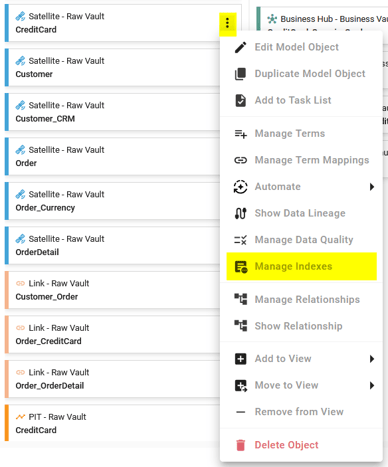
From a Model Object in the Dataflow Modeling overview page, you can access the Indexes overview of the Model Object by clicking on its Context menu and choosing the Manage Indexes option:
It is made up of several areas:
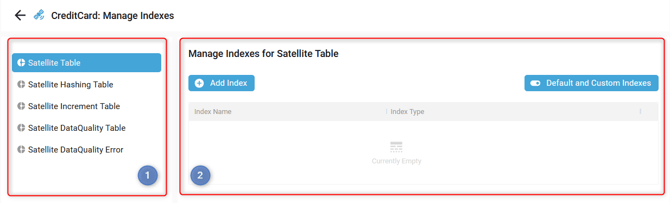
Here, you can manage Custom Indexes to replace the one already included through the Generator Configuration.
All the available functions in the table are described here: Understand the available functions in the tables.
Left menu
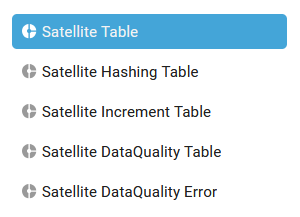
In the Indexes overview left menu, you can open the Custom Indexes list for each Target Object of the Model Object. Here, there are 5 Target Objects (Tables) for the Satellite Model Object Type:
More information about the Target Objects is available here: Understand the Generator target objects.
Content
In the Indexes overview content, you can:
- Activate or deactivate the default Indexes provided by the Generator Configuration:
- Default indexes are deactivated (only Custom ones will be applied):

- Default indexes are activated and will be applied in addition to the Custom ones:

- Default indexes are deactivated (only Custom ones will be applied):
- Add an Index for a Target Object

- Edit an Index

- Delete an Index
