
Add an Index
To create a new Index for a Model Object, access the Indexes overview page for a Model Object:
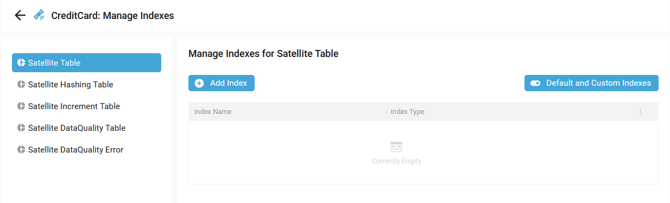
Then click on the Add Index button:

The New Index side panel window is opened:
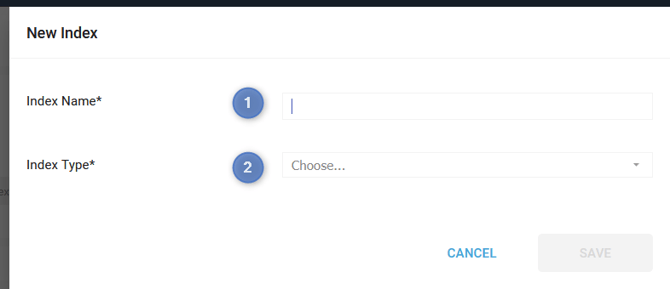
Fill in the following information:
- Index Name: Index name
- Index Type: choose the Index type:
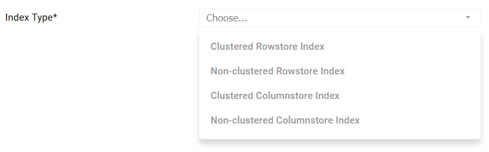
- Clustered Rowstore Index: Physically sorts all table rows by key (1/table); fast OLTP lookups/ranges.
- Non-clustered Rowstore Index: Separate pointer index (many/table); selective queries, extra row fetch.
- Clustered Columnstore Index: Table is columnar/compressed (1/table); analytics scans/aggs.
- Non-clustered Columnstore Index: Columnar overlay on rowstore (many/table); hybrid OLTP+analytics.
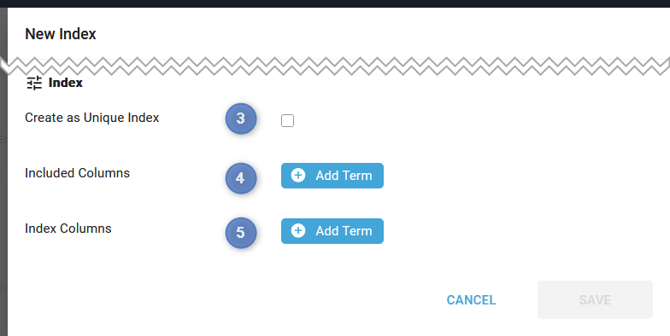
- Create as Unique Index: Enforces no duplicate values in index key columns.
- For Clustered Rowstore, Non-clustered Rowstore, and Non-clustered Columnstore Index
- Included Columns: Non-key columns stored at leaf level; covers queries without key lookups.
- For Non-clustered Rowstore and Non-clustered Columnstore Index
- Index Columns: Key columns forming the index structure; sorted/searched for fast lookups.
- For Clustered Rowstore and Non-clustered Rowstore
To have a better understanding, let's take an example with the following table:
CREATE TABLE Sales (
     SaleID int,
     CustomerID int,
     SaleDate datetime,
     Amount decimal(10,2)
);
Clustered Rowstore (Unique, Index Columns):
CREATE UNIQUE CLUSTERED INDEX IX_Sales_SaleID
ON Sales (SaleID);  -- Physically sorts table by SaleID
Non-clustered Rowstore (Unique, Index+Include Columns):
CREATE UNIQUE NONCLUSTERED INDEX IX_Sales_CustomerDate
ON Sales (CustomerID, SaleDate)  -- Index columns
INCLUDE (Amount);                -- Included column
Clustered Columnstore (Full table columnar, no INCLUDE/UNIQUE needed):
CREATE CLUSTERED COLUMNSTORE INDEX IX_Sales_Col
ON Sales;  -- Replaces rowstore entirely
Non-clustered Columnstore (Unique, Index+Include Columns):
CREATE UNIQUE NONCLUSTERED COLUMNSTORE INDEX IX_Sales_CustAmt
ON Sales (CustomerID)            -- Index column
INCLUDE (Amount, SaleDate);      -- Included columns
Then click on the SAVE button:
- The new Index appears:
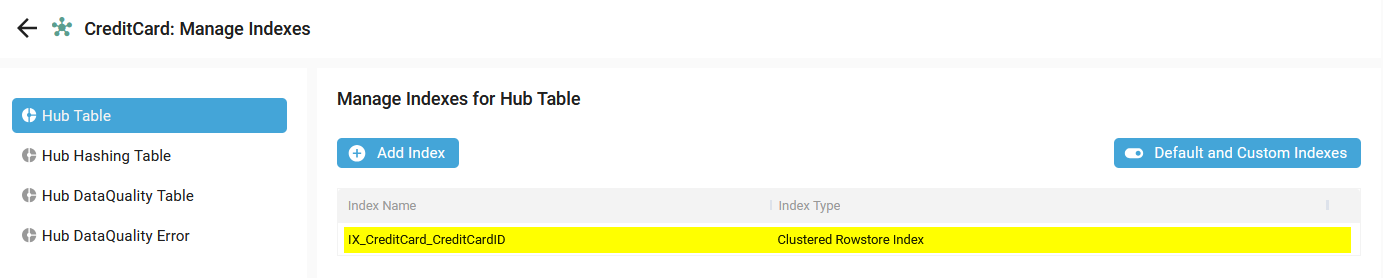
- A notification confirms the correct creation:

Demonstration video