Skip to content
  • There are no suggestions because the search field is empty.

Understand Data Quality rules overview

The Data Quality rules overview of a model object opens from its context menu on the Dataflow Modeling overview page.

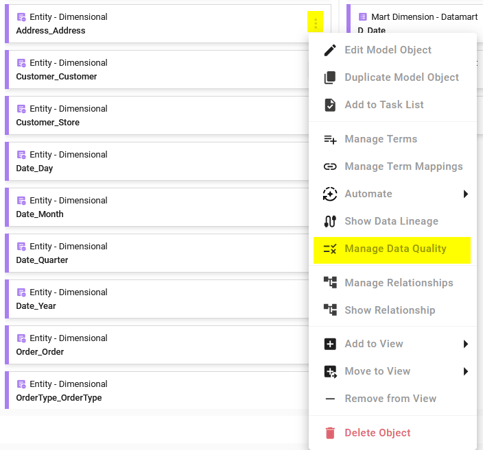
From a Model Object in the Dataflow Modeling overview page, you can access the Data Quality rules overview of the Model Object by clicking on its Context menu and choosing the Manage Data Quality option:
It is made up of several areas:

All the available functions in the table are described here: Understand the available functions in the tables.

  1. The Data Quality rules overview left menu
  2. The Data Quality rules overview content

Left menu

In the Data Quality rules overview left menu, you can open the Data Quality rules for:

  • The Model Object
  • A Term
  • A Relationship

Content

Some default Data Quality Rules are available depending on your Generator Configuration.

They are all explained in detail here.

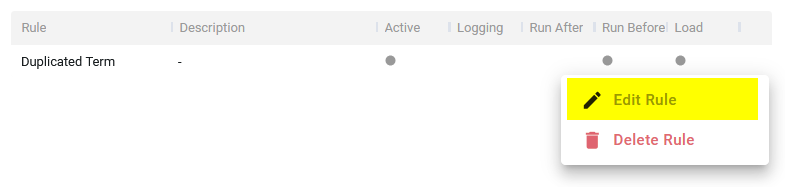
In the Data Quality rules overview content, you can:

Data Quality rules in the load

A rule that runs before the load adds the data quality parts to the part flow; the legend in the image names the lines and shapes. Generated parts of model objects describes the parts:
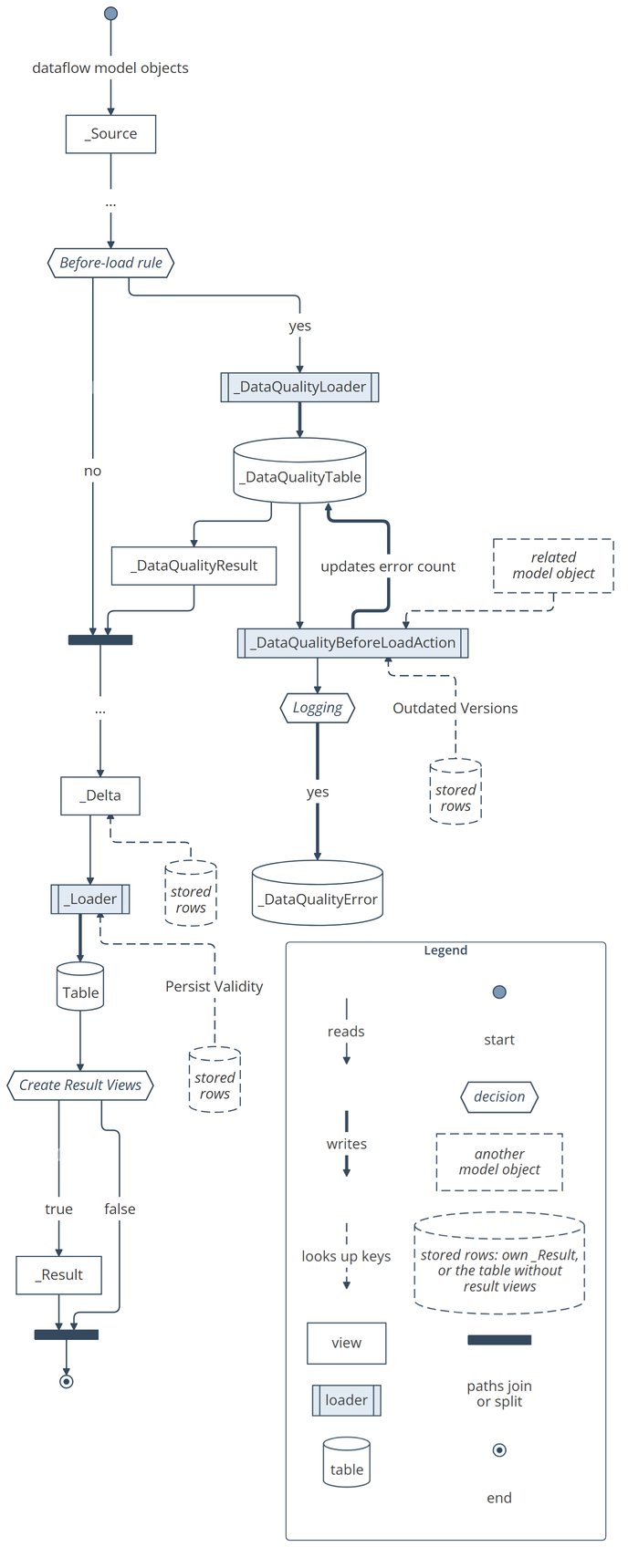
Data quality detour, top to bottom. Without an active before-load rule the main path runs on. With one, _DataQualityLoader reads the part above and fills _DataQualityTable, and _DataQualityResult reads the rows of _DataQualityTable without an error and rejoins the main path. _DataQualityBeforeLoadAction reads _DataQualityTable, updates the error count of each failing row in it and, for rules with Logging, fills _DataQualityError. For a Missing Foreign Keys rule it looks up keys in the related model object. A dashed white cylinder next to a part marks the stored rows it compares with (own _Result, or the table without result views); a label on its line names the condition.

For a row that fails a rule, Load Erroneous Rows and Logging decide independently what happens. By default, Logging is selected and Load Erroneous Rows is not; Missing Foreign Keys in Dimensional loads erroneous rows by default.
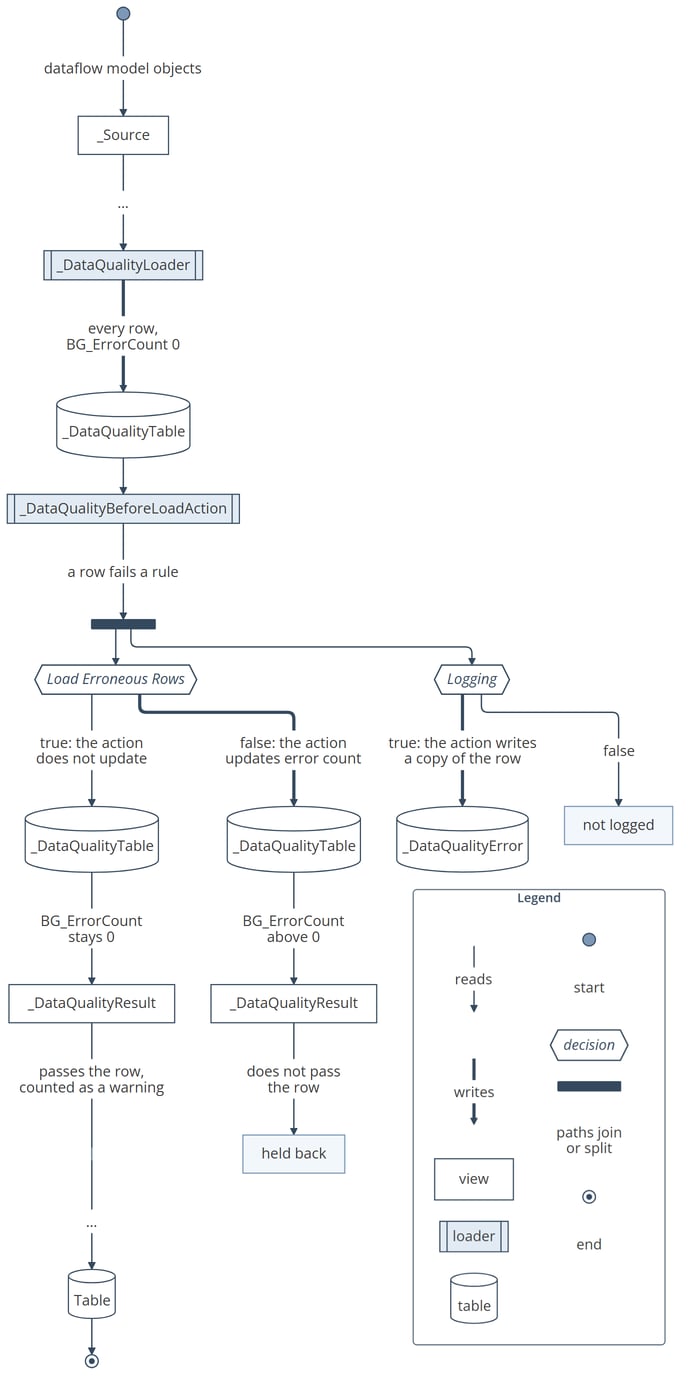
What happens to a row that fails a before-load Data Quality rule. _DataQualityLoader writes every row of the dataflow into _DataQualityTable with BG_ErrorCount 0. _DataQualityBeforeLoadAction reads the table and checks the rules. For a row that fails a rule, two settings of the rule decide independently, side by side. Load Erroneous Rows decides about the row itself, through its error count. True, the error count of the row in _DataQualityTable is not updated and stays 0, _DataQualityResult passes the row, and it is loaded into the table and counted as a warning. False, the default, the error count of the row in _DataQualityTable is updated to a value above 0, _DataQualityResult does not pass the row, and it is held back. Logging decides about a copy of the row. True, the default, a copy goes to _DataQualityError. False, the row is not logged. Only a loaded row goes on to the table and the end; held back, the copy in _DataQualityError and not logged are final outcomes.

Related articles