
With the download of the generated Artifacts, a zip file was created in the default download location set for your Web Browser as:
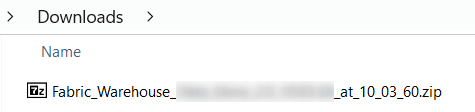
Let's see what this zip file contains now.
Generated Artifacts content
The Generated Artifacts zip file contains the following:
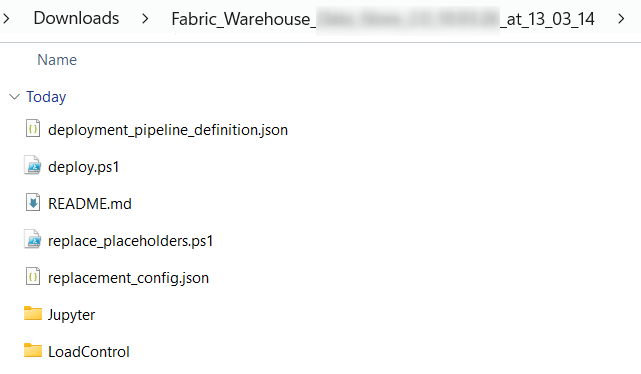
- A Jupyter folder
- A LoadControl folder
- A ParseError.log file (optional)
- The pipeline definition deployment_pipeline_definition.json to create a deployment pipeline (load control and data solution)
- A helper deploy.ps1 to upload the artifacts to Microsoft Fabric
- A README.md file
- The placeholder toolkit is in the replace_placeholders.ps1 file
- The placeholder configuration is in the replacement_config.json file
Jupyter folder
The Jupyter folder contains 1 Jupyter Notebook to execute the deployment XXXXX_deploy_1.ipynb:

As you can observe, a placeholder is used for the target database and schema names.
Before you deploy the generated code in your target environment, please Replace the placeholders in the Generated Artifacts.
LoadControl folder
The LoadControl folder contains:
- Load control Notebook:
- A Jupyter Notebook XXXX_deploy_loadcontrol.ipynb to deploy the load control structure
It also contains, depending on the LoadControl Options Property values:
- Multi-Threading Notebook:
- A Jupyter Notebook XXXX_MultithreadingLoadExecution.ipynb to use a native load control using multi-threading load
Before you deploy the generated code in your target environment, please Replace the placeholders in the Generated Artifacts.
If the Property Configure LoadControl is set to False, the configuration files will not be generated.
If the Property Deploy LoadControl is set to False, the load files will not be generated.
ParseError.log file
If some errors occur during the generation of your Artifacts, the file ParseError.log will contain these errors.
In this case, no Dataflow was configured for the Link named Customer_Order_Link.
So, please define the Dataflow and generate a new time.
If no errors occur during generation, the file ParseError.log will not exist in the Generated Artifact zip file.
Placeholder toolkit
It is composed when you deploy PowerShell script: replace_placeholders.ps1.
It uses a placeholder configuration file to replace the information needed for the connection in the generated artifacts.
For more information, please review Replace the placeholders in the Generated Artifacts.
Placeholder configuration
It is composed of a JSON file: replacement_config.json.
The placeholder toolkit uses it to replace the connection needed information in the generated artifacts.
For more information, please review Replace the placeholders in the Generated Artifacts.