
Before deploying the Generated Artifacts, please:
- Generate the Artifacts
- Download the generated Artifacts
- Replace the placeholders in the Generated Artifacts
You should now have the Notebook files inside Microsoft Fabric ready for deployment.
Deploy the generated Artifacts
We will explain how to deploy the generated artifacts using the possible target environment for Fabric Lakehouse.
To deploy the generated Artifacts:
- Open Microsoft Fabric at https://app.fabric.microsoft.com/
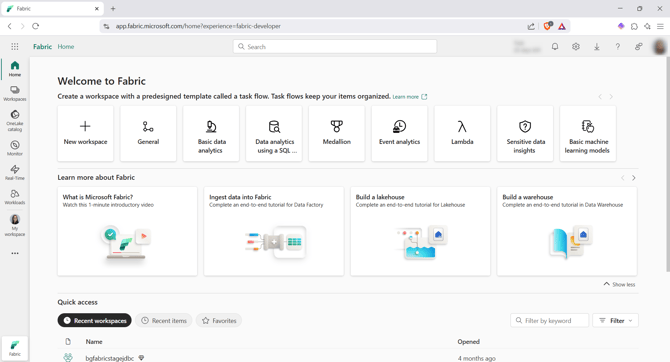
- Open the Workspace where you deployed the artifacts by clicking on the Workspace option on the left menu:

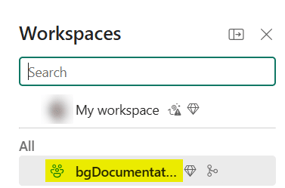
- Then, on the desired Workspace (bgDocumentation in our example):
- Open the XXXX_deploy.ipynb file, which contains two steps:
-
Deploy the load control structure
- Deploy the code
-
- Choose the Lakehouse by:
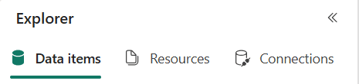
- Clicking on the Data items tab on the left:
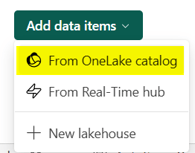
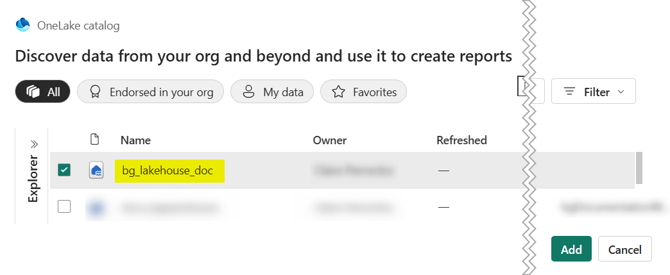
- Clicking on the Add data items button and select the From OneLake catalog option:
- Selecting the Lakehouse previously created (bg_lakehouse_doc in our example):
- Clicking on the Data items tab on the left:
- Execute step 1, then step 2

- The deployment is done:
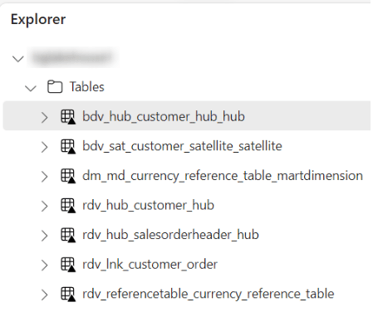
- Open the Lakehouse bg_lakehouse_doc
- The target structure was created:
You can now load the data with the following load controls:
If you want to start a new deployment, please:
- Clean the uploaded artifacts:
- Clone the git repository containing the Microsoft Fabric Workspace locally (with Visual Studio Code, for example)
- Delete the files in the local clone
- Commit and sync the changes
- Update the repository in Microsoft Fabric
- Upload the changed notebooks again
- (Optional) Delete all the deployed tables:
- In a Notebook, add the following code that allows you to delete all the tables inside a schema
# List all tables in the schema dbo

tables = [table for table in spark.catalog.listTables() if table.database == 'docu_bglakehouse']

for table in tables:
    table_name = f"{table.database}.{table.name}"
    print(f"Processing: {table_name} ({table.tableType})")
    # To uncomment afetr checking the table list is correct
    # if table.tableType == 'VIEW':
        # spark.sql(f"DROP VIEW IF EXISTS {table_name}")
    # else:  # EXTERNAL or MANAGED
        # spark.sql(f"DROP TABLE IF EXISTS {table_name}")