
Edit a Historization Type
To edit if a Historization Type is the default value, access the Advanced Settings overview page and select the Historization Type option in the left menu.
The Manage Historization Type page is displayed:
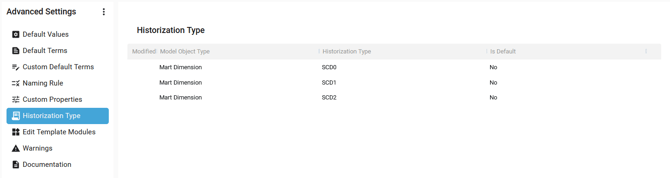
Hover over a Historization Type. The Context menu is displayed:

Click on the Context menu for a Historization Type and select the Edit option:

The Edit side panel window is opened with the possibility to set the Historization Type as Default Value for the Model Object Type:
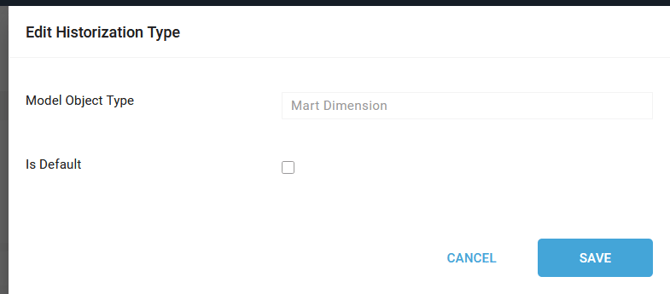
Click on the SAVE button.
The Historization Type appears with a blue icon in the Modified Column:
A notification confirms the correct update:

Demonstration video